アプリケーションのデータベース接続は、を使ってセットアップできます。構成したデータベース接続は、アプリケーションへのログインに使用できます。以下の手順で、接続をセットアップしてください。Documentation Index
Fetch the complete documentation index at: https://auth0-feat-ionic-capacitor-quickstart-modernization.mintlify.app/llms.txt
Use this file to discover all available pages before exploring further.
1 Auth0 Dashboardから開始
1 Auth0 Dashboardから開始
[Auth0 Dashboard] > [Authentication(認証)] > [Database(データベース)]に移動して、[Create DB Connection(データベース接続を作成)] を選択します。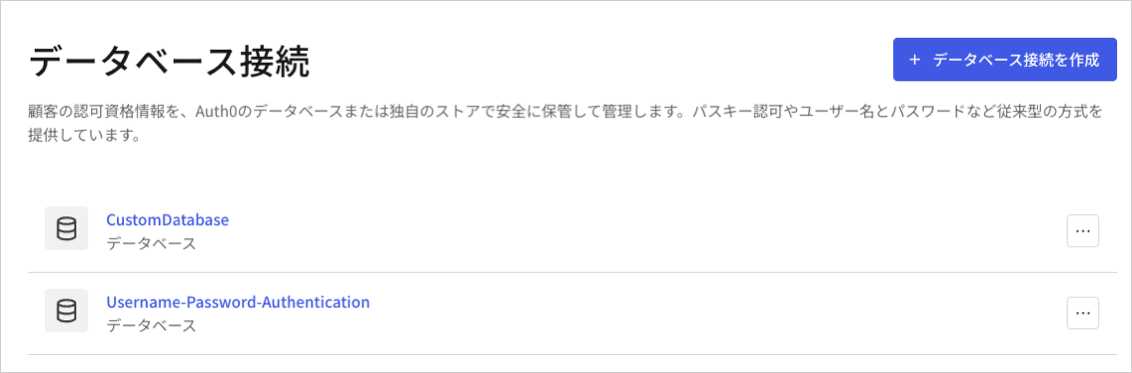
2 接続に名前を付ける
2 接続に名前を付ける
接続の名前を入力し、[Create(作成)] を選択します。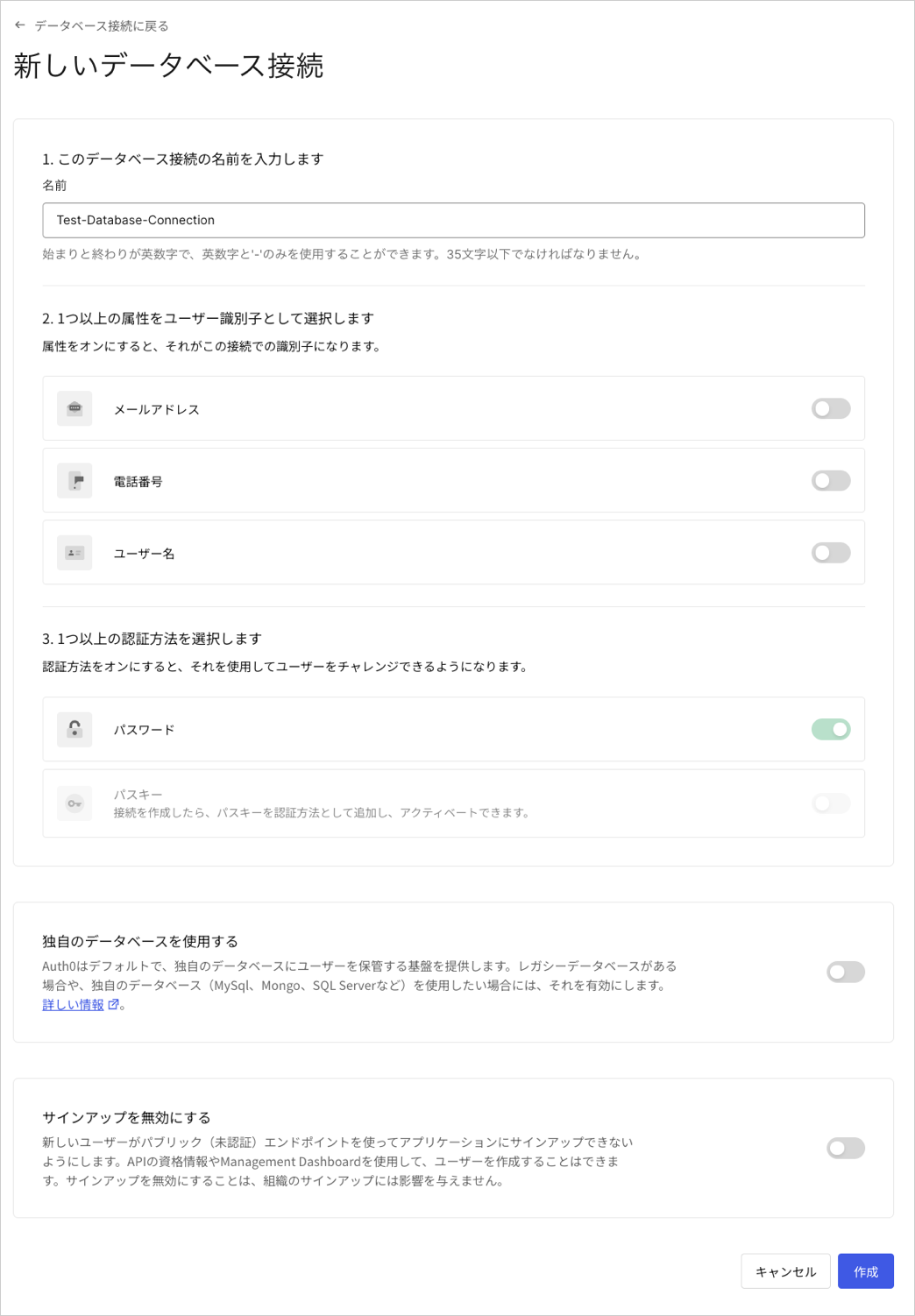
3 接続を有効化する
3 接続を有効化する
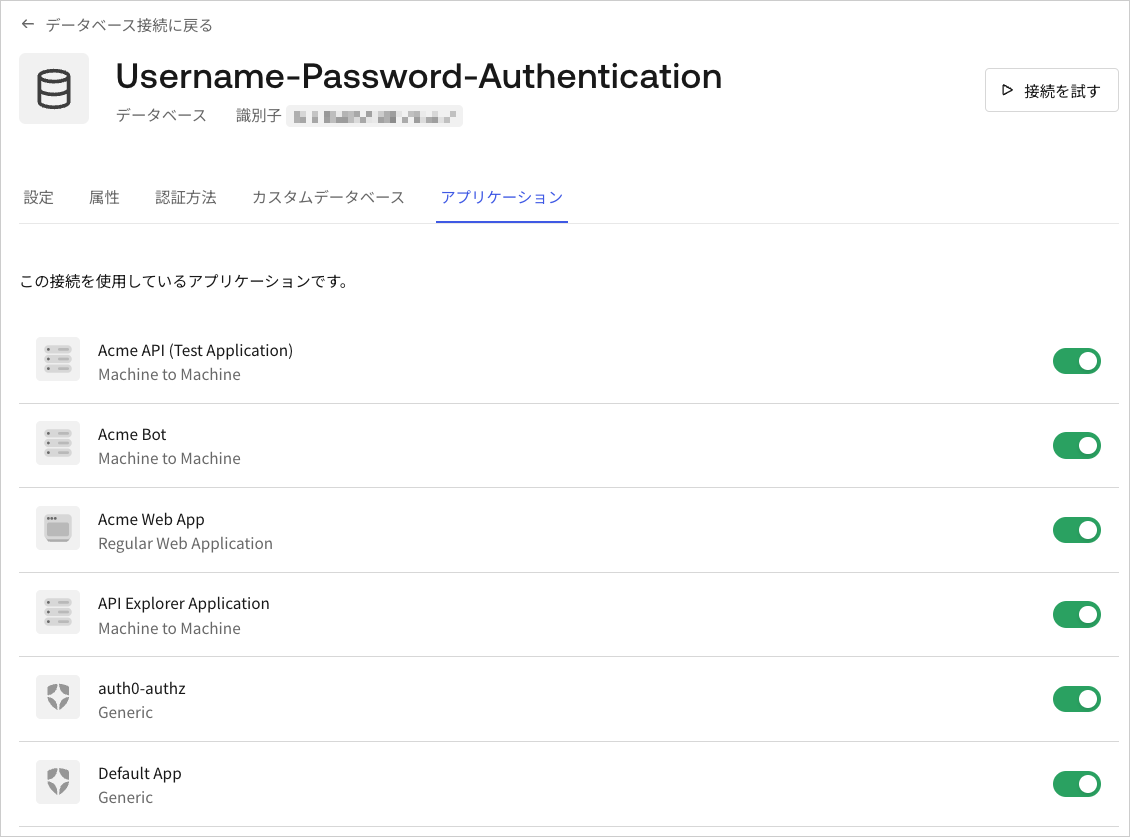
[Applications(アプリケーション)] ビューを選択して、この接続を使用できるはずのAuth0アプリケーションごとに切り替えを有効にします。