

Dashboardを使用すると、アプリケーションの署名アルゴリズムを変更することができます。Documentation Index
Fetch the complete documentation index at: https://auth0-feat-ionic-capacitor-quickstart-modernization.mintlify.app/llms.txt
Use this file to discover all available pages before exploring further.
-
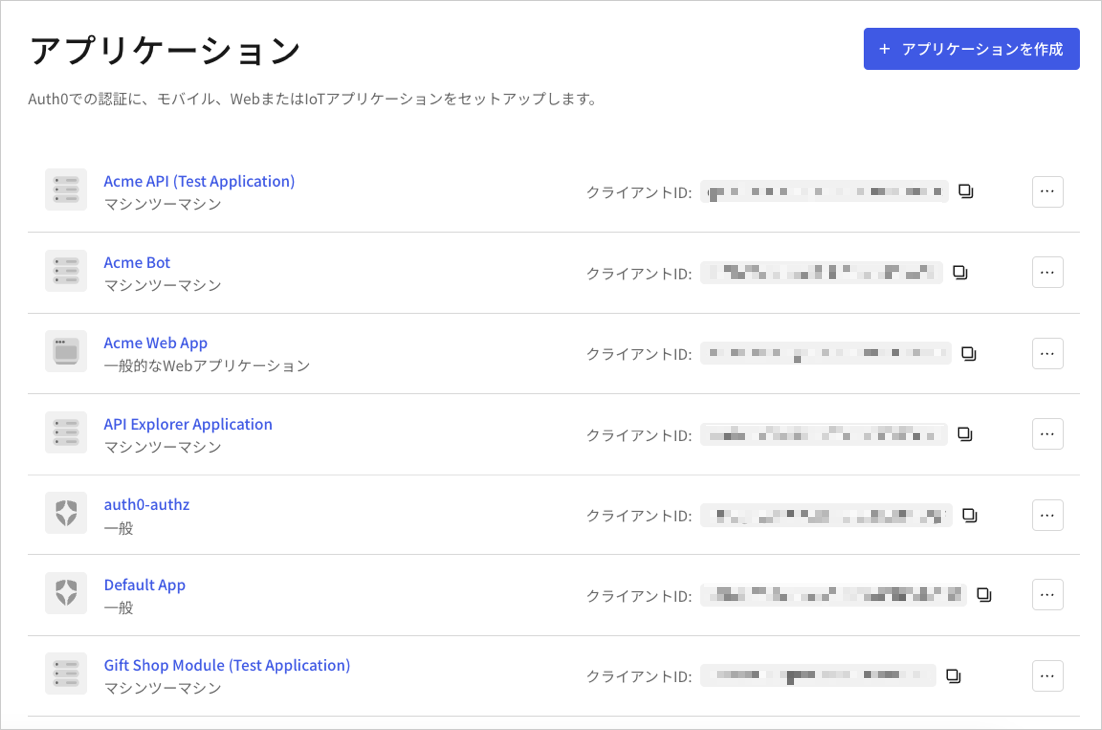
[Dashboard]>[Applications(アプリケーション)]>[Applications(アプリケーション)]に移動し、アプリケーションの名前を選択して表示します。
- [Settings(設定)] タブの下までスクロールし、[Show Advanced Settings(詳細設定を表示)] を選択します。
-
[OAuth] タブに移動します。
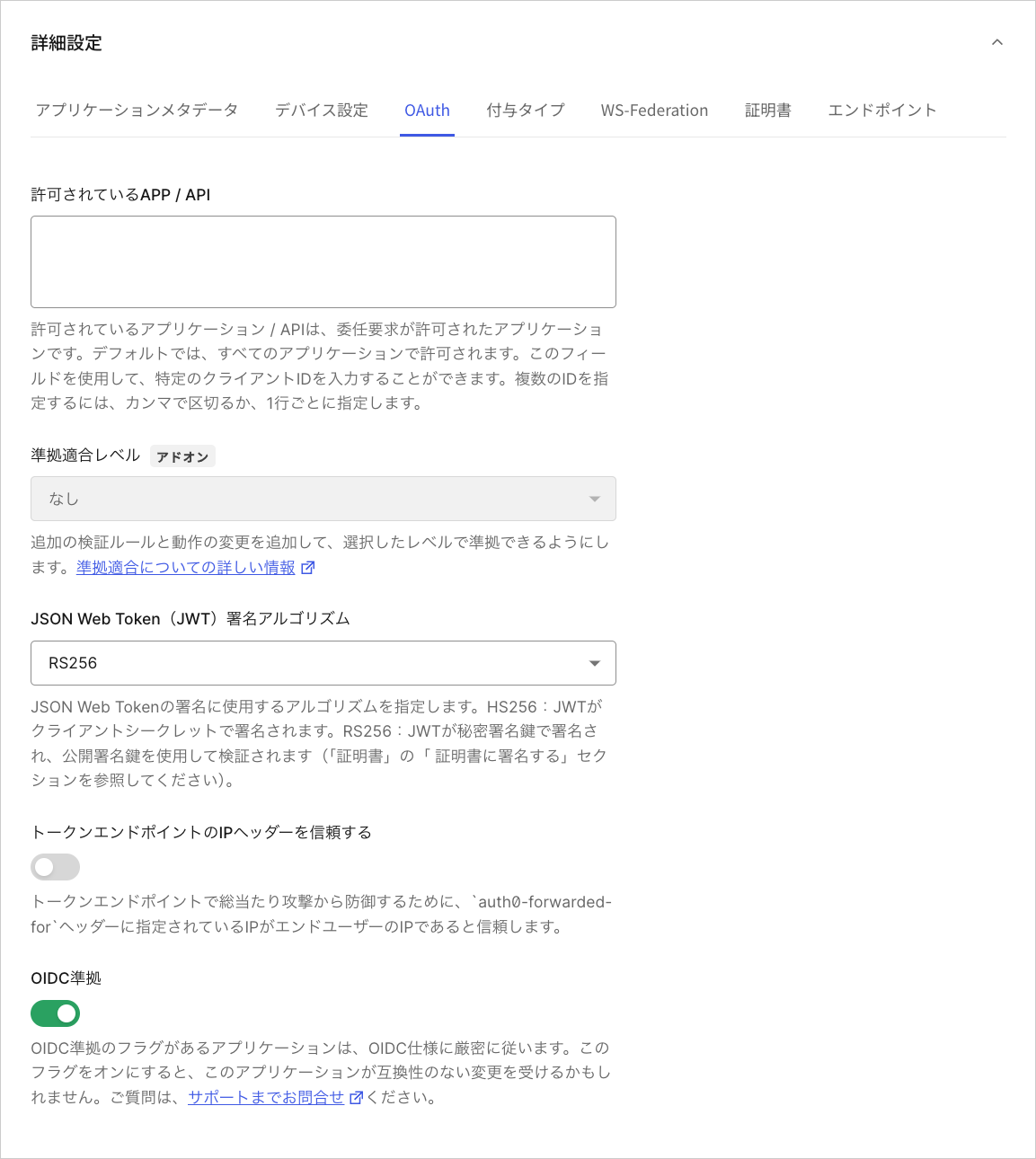
- [JsonWebToken Signature Algorithm(JsonWebToken署名アルゴリズム)] を見つけて、アプリケーションに適した署名アルゴリズムを選択します。
- [Save Changes(変更を保存)] をクリックします。